Git Mechanisms for Repository Serialization
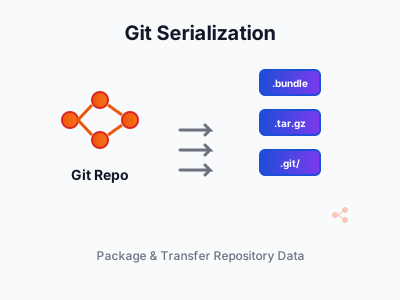
Introduction
git push works great—until you’re on a plane, behind a firewall, or need to transfer a 10GB repo over a USB stick.
Common scenarios:
- Transfer branches over FTP or sneakernet
- Seed a new machine without a slow network clone
- Backup to cold storage
- Share a release snapshot without git history
Your options:
| Method | What it does |
|---|---|
git push/fetch |
Standard network transfer |
git bundle |
Single file with history and refs |
git archive |
Snapshot without history |
git clone --bare |
Full repo as directory |
git clone --mirror |
Exact replica of all refs |
Each has trade-offs in convenience, completeness, and use cases. To understand these, you need to know how git stores data under the hood. Before diving into these methods, let’s review the git fundamentals that make them work.
Git Fundamentals Review
What is a Repository?
A git repository is any directory containing a .git folder with all the objects, refs, and history. Git is distributed - there’s no technical difference between a “clone” and the “original.” Both are full repositories.
| Term | Meaning |
|---|---|
| Repository | Directory with .git folder containing objects, refs, history |
| Clone | A copy created via git clone - it’s a full repository |
| Remote | A reference (URL/path) to another repository - just a bookmark |
| Origin | Conventional name for the remote you cloned from |
| Bare repository | Repository without working tree - what servers typically host |
| Working tree | The checked-out files (not the .git directory) |
The “server copy” and your “local clone” are technically equivalent - both are full repositories. Servers typically host bare repos (no working tree, just .git contents). We treat one as “central” by convention, not by technical necessity.
Object Model
Git stores everything as objects in a content-addressable filesystem (the .git/objects directory). There are four object types:
- Blobs: File contents (just the data, no metadata)
- Trees: Directory structures (lists of blobs and subtrees with names/permissions)
- Commits: Snapshots pointing to a tree, with parent commit(s), author/committer info, and message
- Tags: Named references to commits (annotated tags are objects; lightweight tags are just refs)
Each object is identified by its SHA-1 hash of its content. Commits form a directed acyclic graph (DAG) through parent pointers.
Refs (References)
Refs are pointers to commits:
- Branches: Mutable refs (
refs/heads/*) that move forward as you commit - Remote-tracking branches: Local snapshots of remote branches (
refs/remotes/origin/*) - Tags: Usually immutable refs (
refs/tags/*) pointing to specific commits - HEAD: Special ref pointing to your current branch (or directly to a commit in detached HEAD state)
Packfiles
Git can compress objects into packfiles (.git/objects/pack/*.pack) using delta compression, storing only differences between similar objects. This is how git achieves efficient storage and transfer - bundles and network transfers both use packfiles internally.
Reachability
Git determines what to include in operations by walking the commit DAG from specified refs. An object is “reachable” if you can traverse from a ref to that object. This matters for bundles and transfers: when you specify main, git includes everything reachable from that commit - all parent commits, their trees, and blobs.
Methods for Repository Serialization
Git provides three primary mechanisms: clone, archive and bundle. Each has different characteristics.
Git Bundle
git bundle create <file> <refs>...
- Purpose-built for offline transport
- Single file containing both objects and refs
- Can be used as a read-only remote
- Example:
git bundle create repo.bundle --all
A bundle stores objects (commits, trees, blobs) and refs (branch/tag names with their target commits). Branches and tags are just refs - pointers to commits - so they’re included as ref mappings (e.g., refs/heads/main → abc123). Use --all to include all branches and tags, or --branches/--tags to be selective.
Git Archive
git archive
- Exports working tree at a specific commit
- Does NOT include
.githistory/metadata - Not useful for repository transfer
An archive gives you just the files as they existed at a specific commit - no .git folder, no history, no ability to commit or push. Think of it as “export to zip” - useful for deployments or sharing code with non-git users.
Bare Clone
git clone --bare <repo> <name.git>
A bare clone is a repository without a working directory - just the .git contents:
- Contains all objects, refs, and history
- No checked-out files (no working tree)
- Typically used for server-side repositories
- Can be copied as a directory (e.g., via
rsync,tar, or USB)
Unlike a bundle (single file), a bare clone is a directory structure. This makes it suitable as a permanent remote you can push to, but less convenient for one-time transfers.
# Create a bare clone
git clone --bare /path/to/repo myrepo.git

# Or convert existing repo to bare
cp -r /path/to/repo/.git myrepo.git

# Tar it up for transport
tar -czf myrepo.git.tar.gz myrepo.git
Mirror Clone
git clone --mirror <repo> <name.git>
A mirror clone is like a bare clone, but copies ALL refs exactly as they exist in the source - not just branches and tags.
- Copies remote-tracking refs, notes, GitHub PR refs, and other hidden refs
- Sets up fetch to mirror all refs on subsequent fetches
- Creates an exact replica of the source repository
Use --mirror when migrating repositories between hosting providers, or when you need a true backup that preserves everything.
# Create a mirror (exact replica of all refs)
git clone --mirror /path/to/repo myrepo.git

# Update the mirror later
cd myrepo.git && git fetch
Clone variants
There are three ways to clone - regular, bare, and mirror. Regular clones are for development; bare and mirror are for servers, backups, and transfers.
| Regular clone | --bare |
--mirror |
|
|---|---|---|---|
| Working tree | Yes | No | No |
| Can push to it | No | Yes | Yes |
| Branches stored as | refs/remotes/origin/* |
refs/heads/* |
refs/heads/* |
| Tags | Copied | Copied | Copied |
| Remote-tracking refs | Created fresh | Skipped | Copied exactly |
| Other refs notes, PRs | Skipped | Skipped | Copied |
| Use case | Development | Server/backup | Exact replica |
Use --bare for most server and backup scenarios. Use --mirror when you need an exact replica of all refs.
For serialization, only --bare and --mirror are relevant - regular clones include a working tree which adds overhead. To transport, tar it up or use rsync.
Comparison
Each method has different characteristics that make it suitable for different scenarios.
| Method | Single file | History included | Working tree | I/O |
|---|---|---|---|---|
git push/fetch |
No (stream) | Yes | No | Network |
git bundle |
Yes | Yes | No | Filesystem |
git archive |
Yes | No | Yes (snapshot) | Filesystem |
git clone --bare |
No (directory) | Yes | No | Filesystem |
git clone --mirror |
No (directory) | Yes | No | Filesystem |
Use cases
Choose based on what you need: network or offline, history or snapshot, single file or directory.
| Method | Use cases |
|---|---|
git push/fetch |
Standard workflow with network access to remotes |
git bundle |
Offline transport via USB, email, or cloud storage; air-gapped systems; incremental updates |
git archive |
Deployments; release tarballs; sharing code without history; CI/CD builds; compliance/auditing |
git clone --bare |
Server-side repositories; backups; local “remotes” for testing |
git clone --mirror |
Exact replicas; migrating between hosting providers; disaster recovery |
Granularity
The methods differ significantly in how much control you have over what gets included.
Git Bundle
Bundles offer the most flexibility - you can include exactly what you need, from a single branch to the entire repository.
A bundle can contain:
- Any subset of the commit DAG you specify via refs or commit ranges
- Multiple refs of any type (branches, tags)
- All reachable objects from those refs
Git bundles work by:
- Taking your ref specifications (e.g.,
main,feature/*,v1.0..v2.0) - Computing all reachable objects via DAG traversal
- Creating a packfile with those objects
- Appending ref information (what each ref points to)
Examples
# Single branch - share just one feature with a colleague
git bundle create branch.bundle main

# Multiple branches - transfer a set of related features
git bundle create multi.bundle main develop feature/x

# All branches - full backup without tags
git bundle create all-branches.bundle --branches

# Complete repository - full offline backup
git bundle create complete.bundle --all

# Incremental update - only new commits since last sync (small file!)
git bundle create incremental.bundle main..HEAD

# Selective - everything except main (e.g., just feature branches)
git bundle create sparse.bundle ^main --all
Git Archive
Archives have no history granularity - you get exactly one tree snapshot. But you can choose which commit and even which subdirectory.
# Export current HEAD - quick snapshot for deployment
git archive -o snapshot.tar HEAD

# Tagged release as zip - distribute to users who don't need git
git archive --format=zip -o release.zip v1.0

# Just the docs folder - export documentation for a static site
git archive -o docs.tar HEAD:docs/
Use archives when you need files without git overhead - deployments, release downloads, or sharing with non-developers.
Bare Clone
Bare clones are all-or-nothing - you get the complete repository. No cherry-picking branches or commits.
# Full clone - create a backup or set up a local "server"
git clone --bare /path/to/repo myrepo.git

# Mirror clone - exact copy including all refs (for true mirrors)
git clone --mirror /path/to/repo myrepo.git
Use bare clones when you need a full copy that can serve as a remote - backups, mirrors, or local testing of push/pull workflows. For partial content, use git bundle instead.
Working with Branches
Understanding how git handles branches is helpfull for using git bundle and git push effectively.
Branches Are Just Pointers
You’re not storing “a branch” - branches are just pointers. You’re storing:
- Objects: The commits, trees, and blobs reachable from specified refs
- Ref mappings: Which SHA-1s those ref names should point to
Git’s reachability algorithm determines what gets included. A bundle is essentially a portable packfile with ref metadata - similar to what git fetch transfers over the network, but in a file.
Range Syntax
git push, git fetch, and git bundle all share the same commit range syntax:
# These all use the same semantics:
git push origin main..feature        # Push commits in feature not in main
git fetch origin main..feature       # Fetch commits in feature not in main
git bundle create file.bundle main..HEAD  # Bundle commits in HEAD not in main
git clone and git archive do not support commit ranges - they operate on complete refs or trees.
Examples
Consider this commit history:
main:     A---B---C---D
                   \
feature:            E---F
Single branch
When you specify a branch (e.g., git bundle create b.bundle main):
- Git includes that branch name and its target commit SHA-1 in the ref list
- Git includes all objects reachable by walking the DAG backward through parents
- Result: commits A, B, C, D plus their trees/blobs
Multiple branches
When you specify multiple branches (e.g., git bundle create b.bundle main feature):
- Each branch’s ref and target commit are included
- Git computes the union of all reachable objects
- Objects shared between branches (common history) are included only once (deduplication)
- Result: commits A, B, C, D, E, F plus their trees/blobs; refs
main → D,feature → F
Commit ranges
When you specify commit ranges (e.g., git bundle create b.bundle main..feature):
- Only commits reachable from feature but NOT from main
- Result: just commits E, F (useful for incremental transfers)
Bundle Internals
If you’re curious what’s actually inside a bundle file, here’s the structure. Understanding this helps debug issues with incremental bundles and prerequisites.
Bundle File Structure
- Header: Magic signature identifying it as a Git bundle
- Prerequisites: SHA-1s of commits assumed to exist (for incremental bundles)
- Refs section: List of
<SHA-1> <refname>pairs (e.g.,abc123... refs/heads/main) - Packfile: Binary packfile containing all necessary objects (commits, trees, blobs), delta-compressed
What It Does NOT Store
A bundle is purely objects and refs - the portable essence of a repository. It excludes local configuration:
- Working directory state
.git/configsettings- Hooks, ignored files rules
- Reflog history
- Remote configurations
- Current HEAD position (though you can infer it)
This means after cloning from a bundle, you’ll need to set up your remotes and any local configuration.
Bundle Workflows
Here are common workflows for using bundles in practice.
Creating a Seed for a New Machine
Bootstrap a new machine without cloning over the network - useful for large repos or limited bandwidth:
# On source machine
git bundle create repo-seed.bundle --all

# On target machine
git clone repo-seed.bundle new-repo-name
cd new-repo-name
git remote add origin <actual-remote-url>
git fetch origin  # Now connected to real remote
Incremental Updates
Instead of bundling the entire repository each time, you can create incremental bundles containing only new commits. The origin/main..main range means “commits in main that aren’t in origin/main” - i.e., your local commits since last sync.
# Source: Create incremental bundle
git bundle create changes.bundle origin/main..main

# Target: Verify and apply
git bundle verify changes.bundle
git fetch changes.bundle main:main  # Update main branch
Verification
Before applying a bundle, you can verify it’s complete and inspect its contents:
git bundle verify bundle-file      # Checks if you have all prerequisites
git bundle list-heads bundle-file  # Shows refs contained in bundle
A bundle is functionally equivalent to a remote repository - you can even use it as a remote URL directly (git clone /path/to/bundle.bundle). Git’s network protocols and bundle format share the same underlying packfile mechanism.
Summary
I discussed four methods for repository transfer.
- git push/fetch: The standard approach when you have network access to a remote. Transfers only the objects needed.
- git bundle: Single-file transport with full history and refs. Best for offline transfer via USB, email, or cloud storage. Use
git bundle create snapshot.bundle --allto capture everything. - git archive: Single-file snapshot of working tree without history. Use when you only need the files at a specific commit; e.g. for production.
- bare clone: Directory containing full repository without working tree. Best for backups, mirrors, or when you need a proper remote. Tar it up for transport.
Git doesn’t store “branches” - it stores objects and pointers to objects. Push/fetch, bundles, and bare clones all preserve this structure; archives do not.
The object pointers form a DAG. Git push, fetch and bundle use the same range semantics to determine what part of the DAG to include:
git push origin main..feature # Push selective commits from the DAG